
Download UnzipThemAll – Free Multiformat File Unzipping Tool for Windows
UnzipThemAll Overview: A Lightweight, Free File Extraction Tool for Windows
UnzipThemAll is a no-frills, free software utility designed specifically for users who need a reliable tool to extract files from compressed archives. Developed by Herve-thouzard, this lightweight application has been a staple in the Windows file compression community since its initial release in 2006. Despite its age, UnzipThemAll continues to serve users who value simplicity, speed, and minimal system resource usage. Unlike modern, feature-heavy archivers, this tool focuses on one core task: unzipping files quickly and securely.
Available in English and compatible with Windows 95 and earlier versions, UnzipThemAll is ideal for users working on older systems or those who prefer a minimalistic approach to file extraction. The program supports multiple archive formats, including ZIP, RAR, 7Z, TAR, GZIP, and more, making it a versatile option for handling various compressed files without needing multiple tools. Its compact size ensures it doesn’t take up much disk space—less than the average utility in its category—making it perfect for low-storage environments or older hardware.
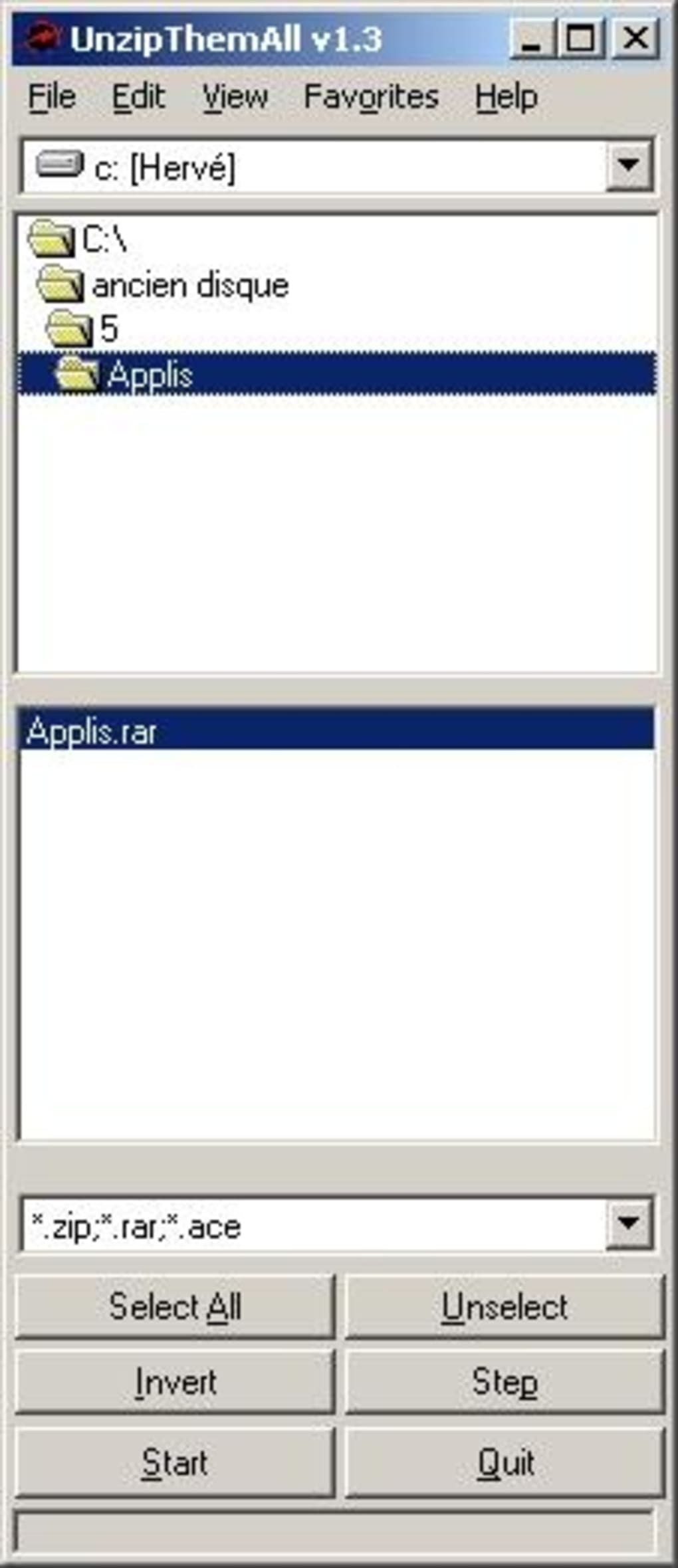
One of the standout features of UnzipThemAll is its straightforward interface. There are no complicated menus, no setup wizards, and no bundled software. Simply download the installer, run it, and start extracting files immediately. The program integrates seamlessly into the Windows context menu, allowing users to right-click any archive and extract it with a single click. This level of integration enhances productivity and reduces the learning curve for new users.
Although the software hasn’t seen an update since 2006, its core functionality remains stable and effective. For users who don’t need advanced features like password protection, archive creation, or encryption, UnzipThemAll offers a refreshingly simple solution. It’s also a great alternative for those who want to avoid the bloat of larger archivers like WinRAR or 7-Zip. With over 74,000 installations since 2006 and consistent weekly downloads, UnzipThemAll proves that even older software can still deliver value in the right context.
Key Features of UnzipThemAll: What Makes It Stand Out
UnzipThemAll may not boast a flashy interface or a long list of advanced features, but its core functionality is solid and well-executed. The program’s main strength lies in its ability to handle multiple archive formats with minimal overhead. Here’s a breakdown of what makes it a reliable choice for file extraction:
- Multiformat Support: UnzipThemAll supports ZIP, RAR, 7Z, TAR, GZIP, BZIP2, ISO, and other common archive types, making it a one-stop solution for decompressing files from various sources.
- Lightweight Design: At just a few megabytes in size, the program uses minimal RAM and CPU resources, ensuring smooth performance even on older or low-end systems.
- Context Menu Integration: Once installed, UnzipThemAll adds a “Extract with UnzipThemAll” option to the right-click menu, enabling instant extraction without launching the app.
- Batch Extraction: Users can select multiple files at once and extract them in a single operation, saving time when dealing with large numbers of archives.
- Secure File Handling: The tool maintains file integrity during extraction and avoids modifying original archives, ensuring safe decompression.
- Simple Installation: The setup process is quick and straightforward—no unnecessary options or bundled software.
Another notable feature is the program’s ability to preserve folder structures during extraction. This ensures that files are placed in their original directories, reducing the risk of disorganization. Additionally, UnzipThemAll handles password-protected archives, although users should be aware that the software may not support all encryption types used in modern archives.
For users who prioritize speed and efficiency over advanced features, UnzipThemAll delivers exactly what it promises. It’s particularly useful for archiving projects, software installations, or downloading files from older websites that use legacy compression formats. While it lacks features like archive creation or cloud integration, its focused design makes it a dependable tool for basic unzipping tasks.
How to Install and Use UnzipThemAll on Windows
Installing UnzipThemAll is a breeze, especially for users who value a no-nonsense setup process. To get started, visit a trusted software repository or the official developer’s site (if available) and download the latest version—currently 1.0.4, released on March 9, 2006. The file is typically a small executable (around 2–3 MB), so it downloads quickly even on slow connections.
Once downloaded, double-click the installer file. The setup wizard will guide you through a minimal installation process—there are no optional components to select, no third-party offers, and no complicated configuration steps. The program will be installed to your default Programs folder, and a desktop shortcut will be created automatically.
After installation, you can begin using UnzipThemAll immediately. To extract a file, simply right-click on any supported archive (ZIP, RAR, 7Z, etc.) and select “Extract with UnzipThemAll” from the context menu. A small window will appear, allowing you to choose the destination folder. Click “Extract” and the files will be decompressed in seconds.
For batch processing, select multiple archives, right-click, and use the same menu option. The tool will process each file in sequence, saving time when handling large sets of compressed files. If you prefer a more manual approach, you can also launch the program from the Start menu and drag and drop archives into the interface.
One thing to note is that UnzipThemAll does not support creating new archives—its sole purpose is extraction. However, this limitation enhances its stability and speed. Since the software has not been updated in over 15 years, users should ensure they’re downloading it from a reputable source to avoid malware. Always scan the installer with antivirus software before running it.
Compatibility & System Requirements
UnzipThemAll is specifically designed for older versions of the Windows operating system. It is compatible with Windows 95, Windows 98, Windows ME, Windows NT, and Windows 2000. This makes it a unique choice for users still running legacy systems or maintaining older software environments.
Due to its lightweight architecture, the program requires minimal system resources. It runs efficiently on machines with as little as 16 MB of RAM and 10 MB of free disk space. This low footprint makes it ideal for older hardware or embedded systems where modern software may struggle to perform.
While UnzipThemAll does not support Windows XP or later versions, users on newer systems can still run it using compatibility mode. To do so, right-click the executable, go to “Properties,” select the “Compatibility” tab, and choose “Windows 98/ME” from the dropdown. This allows the program to run on Windows 7, 8, and even Windows 10, although some features may behave differently.
It’s important to note that because the software hasn’t been updated since 2006, it may not support newer archive encryption methods or file formats introduced after that time. For users dealing with modern, password-protected 7Z files or AES-encrypted archives, a more recent tool like 7-Zip or WinRAR may be a better fit.
Pros and Cons: Is UnzipThemAll Right for You?
Before downloading UnzipThemAll, consider the following pros and cons to determine if it meets your needs:
Pros:
- Free and open to download without registration.
- Extremely lightweight—uses minimal system resources.
- Supports multiple archive formats (ZIP, RAR, 7Z, TAR, GZIP, etc.).
- Simple, intuitive interface with no learning curve.
- Right-click integration for instant extraction.
- Preserves folder structures during decompression.
- Safe and secure for basic file extraction tasks.
Cons:
- Not compatible with Windows XP and later versions without compatibility mode.
- No support for creating new archives.
- Outdated software—no updates since 2006.
- May not handle modern encryption standards or large archive formats.
- Limited customer support or documentation.
Frequently Asked Questions (FAQ)
Conclusion: A Niche Tool with Lasting Value
UnzipThemAll may not be the most modern file extraction tool on the market, but it remains a valuable option for users who need a simple, fast, and free solution for decompressing archives on older Windows systems. Its lightweight design, multiformat support, and seamless integration into the right-click menu make it a reliable choice for basic unzipping tasks.
While it lacks advanced features like archive creation or modern encryption support, its focus on core functionality ensures stability and speed. If you’re working on a legacy system, managing old project files, or simply want a no-nonsense tool that gets the job done, UnzipThemAll is worth downloading.
Download UnzipThemAll today and experience hassle-free file extraction—free, secure, and efficient.







